
Overview
[eventkoi_rsvp] renders the RSVP widget for an event, the same widget shown on the default event template.
[eventkoi_rsvp event_id="10"]This only renders anything if the event’s attendance mode is set to RSVP. If the event is set to Tickets instead, this shortcode outputs nothing at all.
Attributes
| Attribute | Type | Default | What it does |
|---|---|---|---|
event_id | int | none | The event to show the RSVP widget for. Optional, see “Using without an event_id” below. |
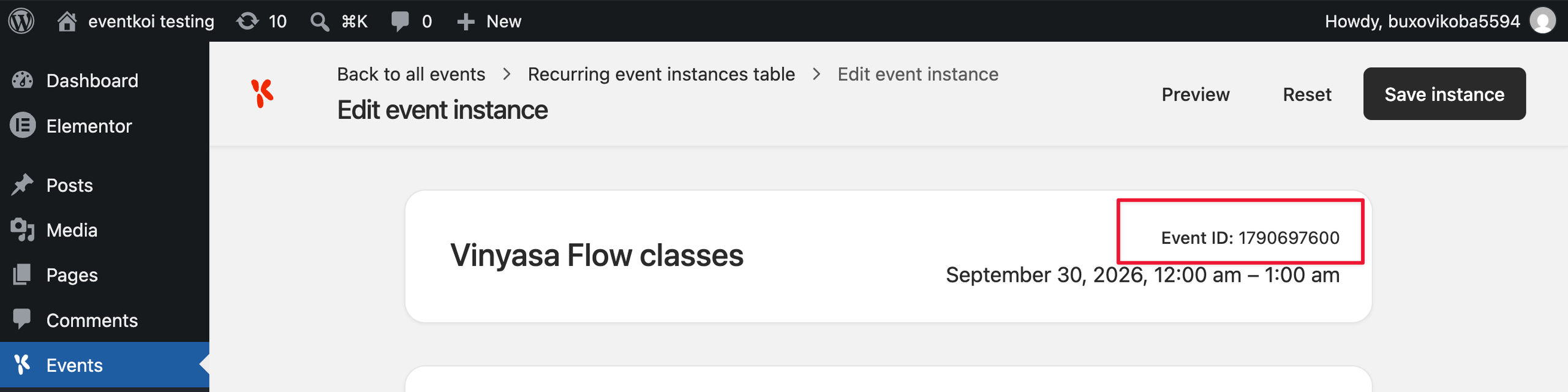
instance_ts | int | none | Which occurrence of the event to RSVP to, as a Unix timestamp. Only relevant for a recurring or multi day event. You can find this value on that occurrence’s edit screen, labelled “Event ID”. See “Instance resolution” below. |
instance | int | none | An alias for instance_ts. If both are set, instance_ts wins. |
Event templates: Use without an event_id
If you are editing an event template or the event’s own page, do not include event_id. EventKoi will use the event currently being displayed.
[eventkoi_rsvp]How to display RSVP for a specific instance
For a standard, single occurrence event, you can leave instance_ts out entirely. For a recurring event, or a multi day event where a visitor picks a specific day, EventKoi needs to know which occurrence the RSVP applies to. It resolves in this order:
- The
instance_tsattribute, if set. - The
instanceattribute, if set. - Whichever occurrence the visitor is currently viewing, picked up automatically from the page.
- For a recurring event, the occurrence currently active or coming up next.
Where to find the event instance id
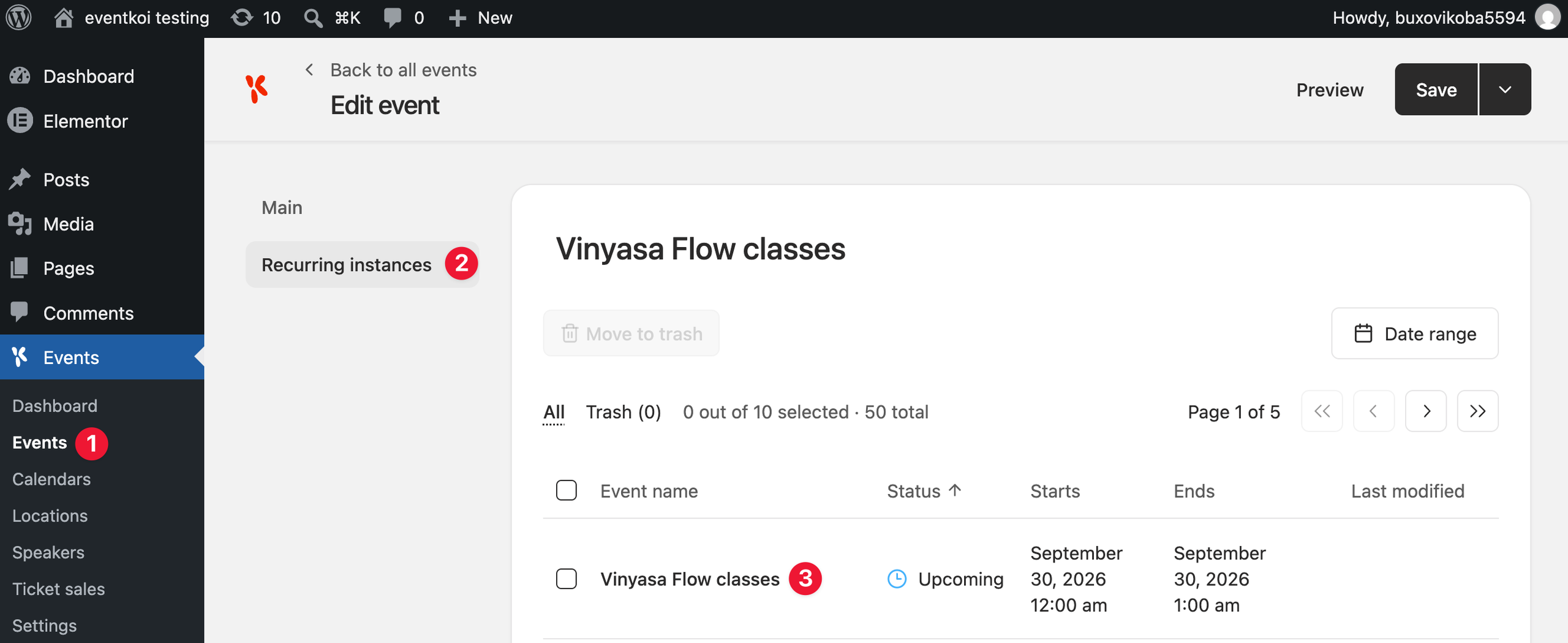
Inside the event, click on the Recurring instances tab. Then select the relevant instance.
On the top right hand corner of the event instance settings, you’ll find the event ID.
Examples
- Basic:
[eventkoi_rsvp event_id="10"] - Inside an event template, no event_id needed:
[eventkoi_rsvp] - A specific occurrence of a recurring event:
[eventkoi_rsvp event_id="10" instance_ts="1789714800"]
More shortcodes
For the full list of EventKoi shortcodes, see EventKoi Shortcodes Reference Guide: Start Here.