
Overview
Custom taxonomies, created with the Taxonomy Builder, let you group events by venue, speaker, or anything else you define, with optional fields of their own on each term. See “How to create custom taxonomies with EventKoi’s Taxonomy Builder” for how to set one up.
Once a taxonomy exists and events are assigned to it, you can pull the data onto a page using the shortcodes covered in this article.
It’s worth noting that if you are using the [eventkoi_calendar] shortcode, you can also filter events by taxonomies. Learn how to do that via these two docs: EventKoi Calendar (Calendar View) shortcodes: All supported attributes and EventKoi Calendar (List View) shortcode: All supported attributes.
The example used in this guide
To make this doc less abstract and easier to understand, the following example will be used as a reference across this doc:
A user creates a taxonomy called Venues.
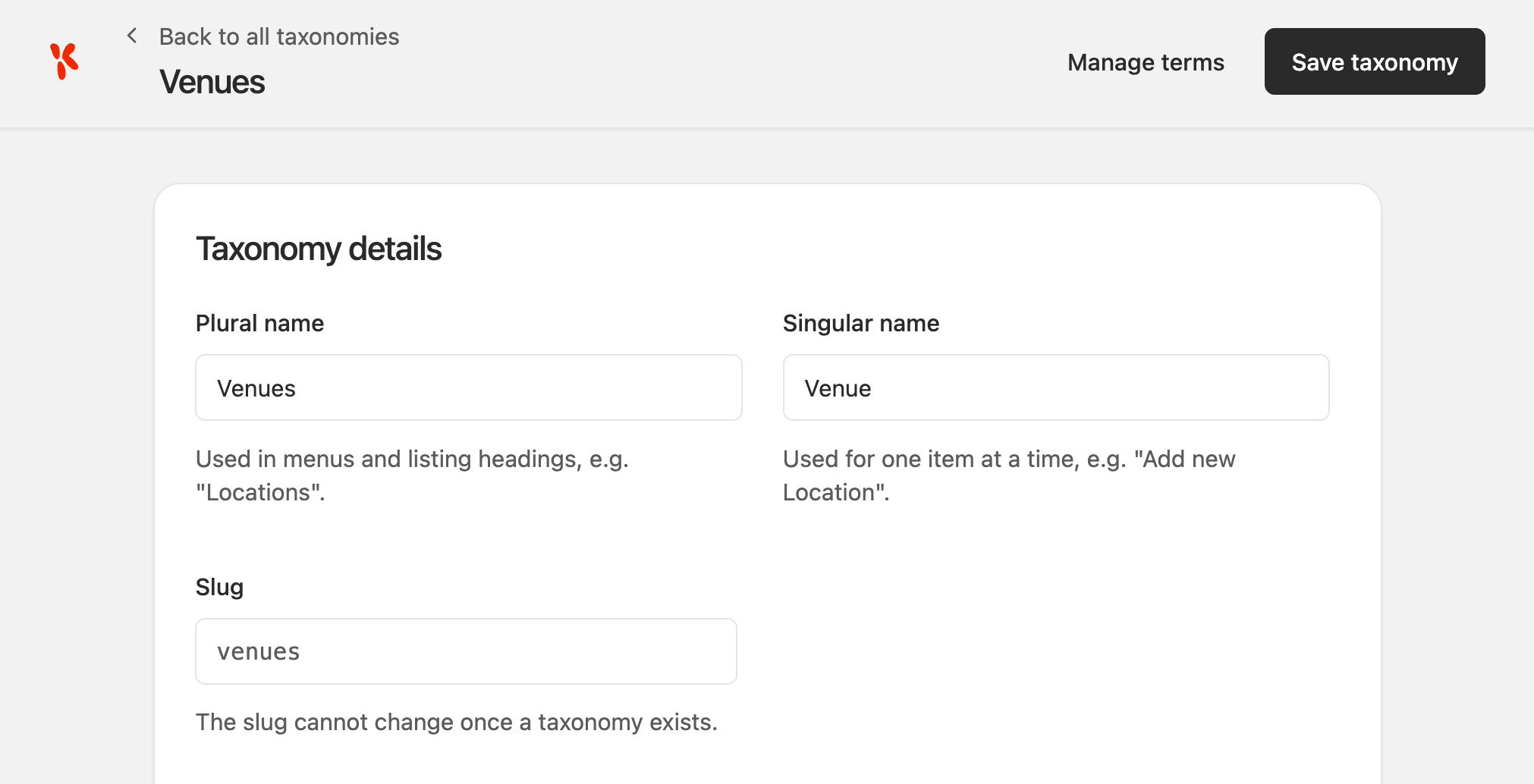
Its slug is: venue. And it has two term fields: Address and Website.

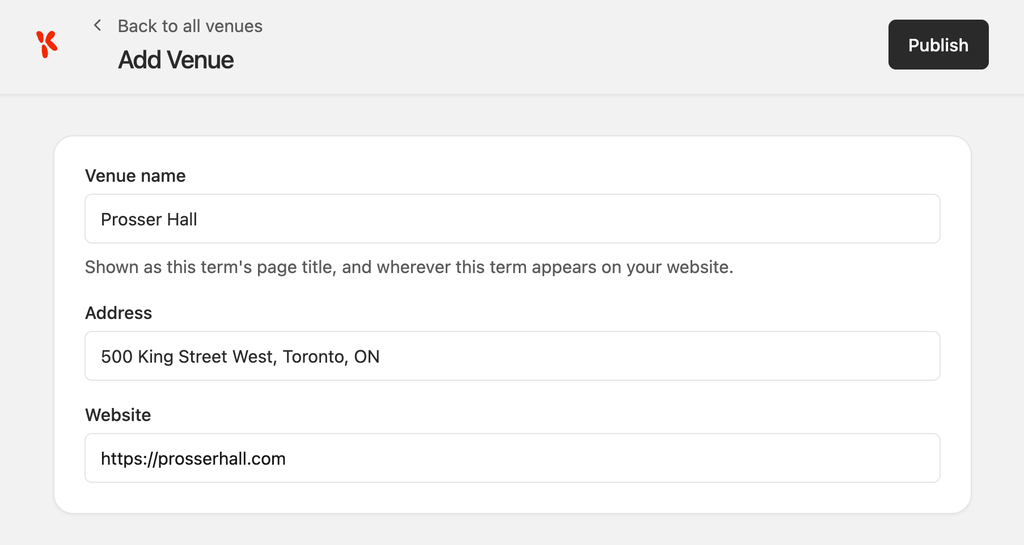
A term Prosser Hall has been created under Venues.
Prosser Hall has two term fields filled in:
- Address:
500 King Street West, Toronto, ON, and - Website:
https://prosserhall.com.
The user then creates a new event. This event has the id “10”.
Under the Location details section, the user selects Prosser Hall as the venue.

We will use this created Prosser Hall example as the output data for all the shortcode examples below.
Syntax
event_tax_<slug>pulls the plain, comma separated names of every term the event has assigned in that taxonomy.- Outputs:
Prosser Hall[eventkoi id="10" data="event_tax_venue"]
- Outputs:
event_term_<slug>pulls the same list of assigned terms asevent_tax_<slug>, but has the ability to use theas_linkattribute to create links to the archive page. If there are no archived pages available, it will output as plain text.- Outputs:
Prosser Hall, linked to its archive page.[eventkoi id="10" data="event_term_venue" as_link=1]
- Outputs:
event_term_<slug>_<fieldkey>pulls one term field’s value, from the first term assigned in that taxonomy.- Outputs:
500 King Street West, Toronto, ON[eventkoi id="10" data="event_term_venue_address"]
- Outputs:
event_term_<slug>_summarypulls every assigned term at once, each with its name and all of its filled in term fields. See below. Outputs:Prosser Hall, linked, followed by its address and website, each labelled.[eventkoi id="10" data="event_term_venue_summary"]
Pulling one term field
Use event_term_<slug>_<fieldkey> to pull one field from the first term assigned in that taxonomy.
This only pulls from the first assigned term. If event 10 had a second venue term assigned, its fields would not be included.
An image type term field outputs the attachment’s raw URL, not an <img> tag, the same as an image type custom field.
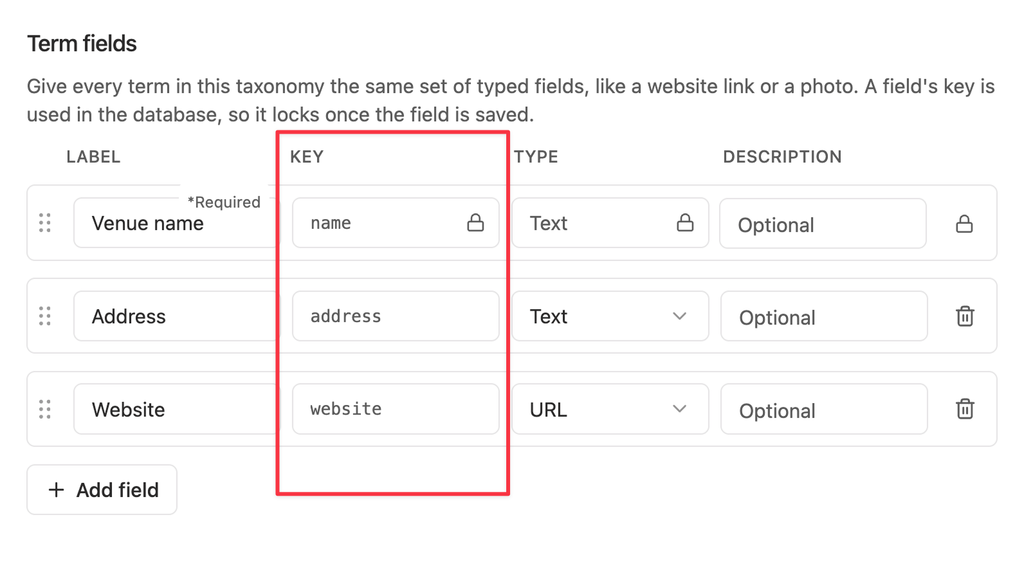
Get the field key by heading into your taxonomy settings and looking for your term fields key.
Every term with all of its fields
event_term_<slug>_summary renders every assigned term at once, each with its name, linked if the taxonomy has an archive, followed by every one of its filled in term fields, labelled. Image fields render as an actual picture here, not a bare URL.
This is the shortcode equivalent of event_custom_fields, but for one taxonomy’s terms instead of custom fields.
Examples
- Plain list of assigned terms:
[eventkoi id="10" data="event_tax_venue"]- Outputs:
Prosser Hall
- Outputs:
- Same list, linked to term archives:
[eventkoi id="10" data="event_term_venue" as_link=1]- Outputs:
Prosser Hall(linked to its archive page)
- Outputs:
- One field from the first assigned term:
[eventkoi id="10" data="event_term_venue_address"]- Outputs:
500 King Street West, Toronto, ON
- Outputs:
- Every assigned term with all its fields:
[eventkoi id="10" data="event_term_venue_summary"]- Outputs:
Prosser Hall(linked), followed by500 King Street West, Toronto, ONandhttps://prosserhall.com, each on its own line with a label.
- Outputs:
More shortcodes
For the full list of EventKoi shortcodes, see EventKoi Shortcodes Reference Guide: Start Here.