
If you’re moving from The Events Calendar to EventKoi Pro, the importer brings across your events along with the extra data TEC stores against them, so you shouldn’t need to manually rebuild much afterwards.
How to import
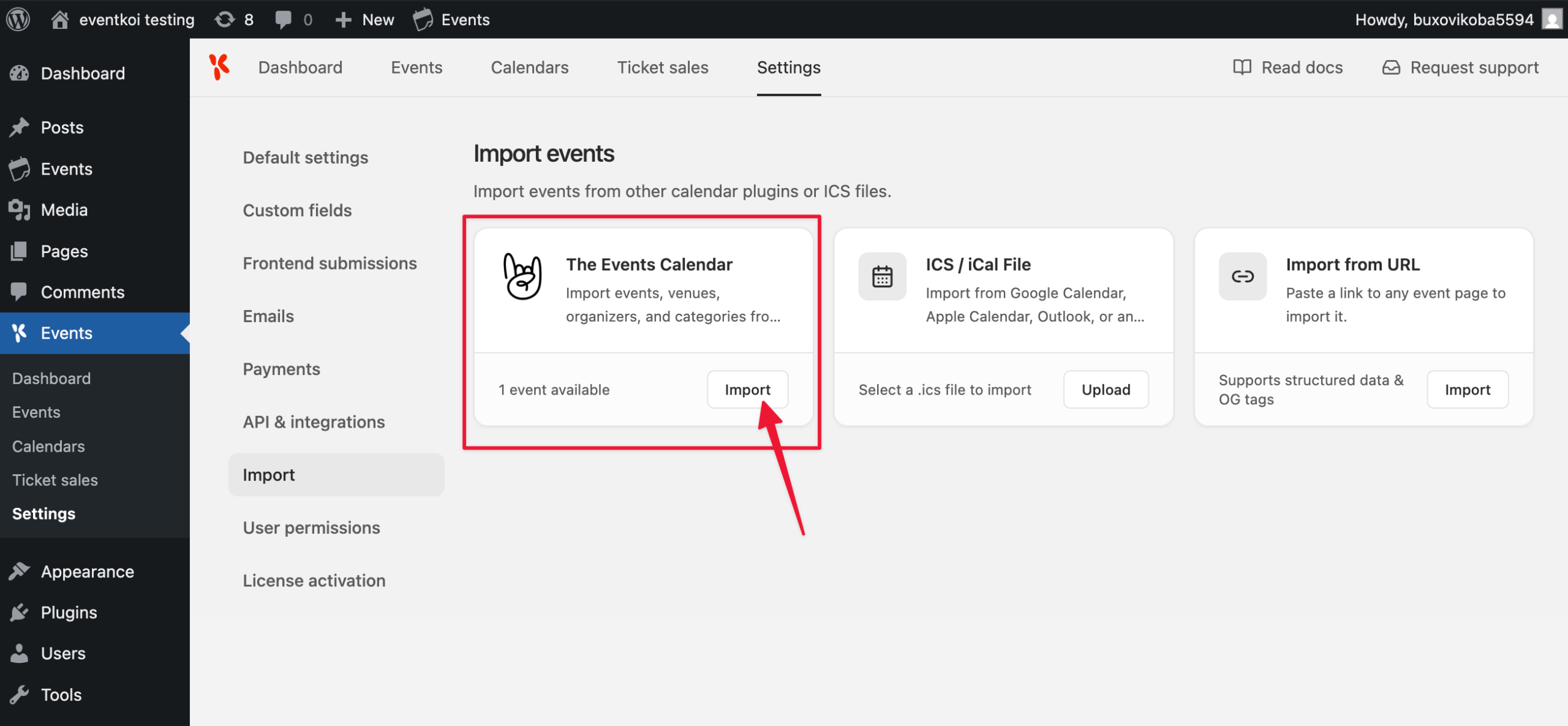
- Go to EventKoi → Settings → Import.
- Find the The Events Calendar card. EventKoi detects TEC automatically and shows how many events are available to import.
- Click Import.
- A confirmation dialog lists what will be brought in: events, venues, categories, and featured images. Click Import to confirm.
- Wait for the import to finish. You’ll see a confirmation with the number of events imported (and any that failed).
- Click View events to check the results.
Events you’ve already imported are skipped automatically on later runs, so it’s safe to re-run the import as you publish new events in TEC.
What gets imported
- Title, description, and status
- Start and end date/time, and the all-day flag
- Multi-day events, imported as a continuous date range rather than collapsing to a single day
- Venue, saved as a native EventKoi location, and also as a reusable Record custom field so you can pull venue details into templates and dynamic content beyond the built-in location display
- Organizer name, email, phone, and website, saved the same way: as plain event details and as a reusable Record field
- The event’s website link, added as an additional virtual location
- Categories, mapped to EventKoi calendars by matching slug, including any colour set via TEC’s Category Colors feature. A colour is only applied if the matching calendar doesn’t already have one, so it won’t override a colour you’ve already chosen
- Featured image
- Cost: if TEC’s plain Cost field on the event is a numeric value and the Tickets feature is enabled, EventKoi creates one “General admission” ticket at that price. Non-numeric values (“Free”, “Donation”, “TBD”) are added as text in the description instead
- Recurring and series events: daily, weekly, monthly, and yearly TEC recurrence rules are converted to EventKoi’s recurring event settings. If a rule can’t be converted but TEC has multiple materialized occurrences (common with more complex series), every occurrence date is imported individually instead of collapsing to just the first one
- Custom fields: any other public post meta on the TEC event, plus TEC Pro’s Additional Fields, are imported as new EventKoi custom fields, created automatically if they don’t already exist
- ACF fields: if Advanced Custom Fields is active, the event’s ACF field data is preserved as-is, so existing ACF shortcodes and
get_field()calls in your theme keep working without changes
What doesn’t carry over
- The Events Calendar’s Event Tickets plugin isn’t supported. If you sold tickets or collected RSVPs through Event Tickets (rather than just listing a price in TEC’s Cost field), none of that comes across, no ticket tiers, capacity, attendee list, RSVP setup, or order history. The importer only reads TEC’s own event fields, it doesn’t look at Event Tickets data at all. Any event that relied on Event Tickets for RSVP or paid ticketing will need its attendance setup rebuilt manually in EventKoi after import
Using EventKoi Lite instead? See the Lite version of this guide for what’s different.