
What is the Event Series page
The Event Series page is the overarching page for a recurring event.
To learn more about recurring events, read this doc:
When you create a recurring event, two types of pages are created:
- An Event Series page
- Multiple individual event instances pages
Here’s how the Event Series page looks like and what it contains:

Where to find the Event Series page and URL
In the Events list table, you can find any recurring event by looking for the Recurring label next to an event. Or you can filter by Recurring events.
In between the event name and the recurring label, you’ll find a link icon.
That link takes you to the Event Series Page.

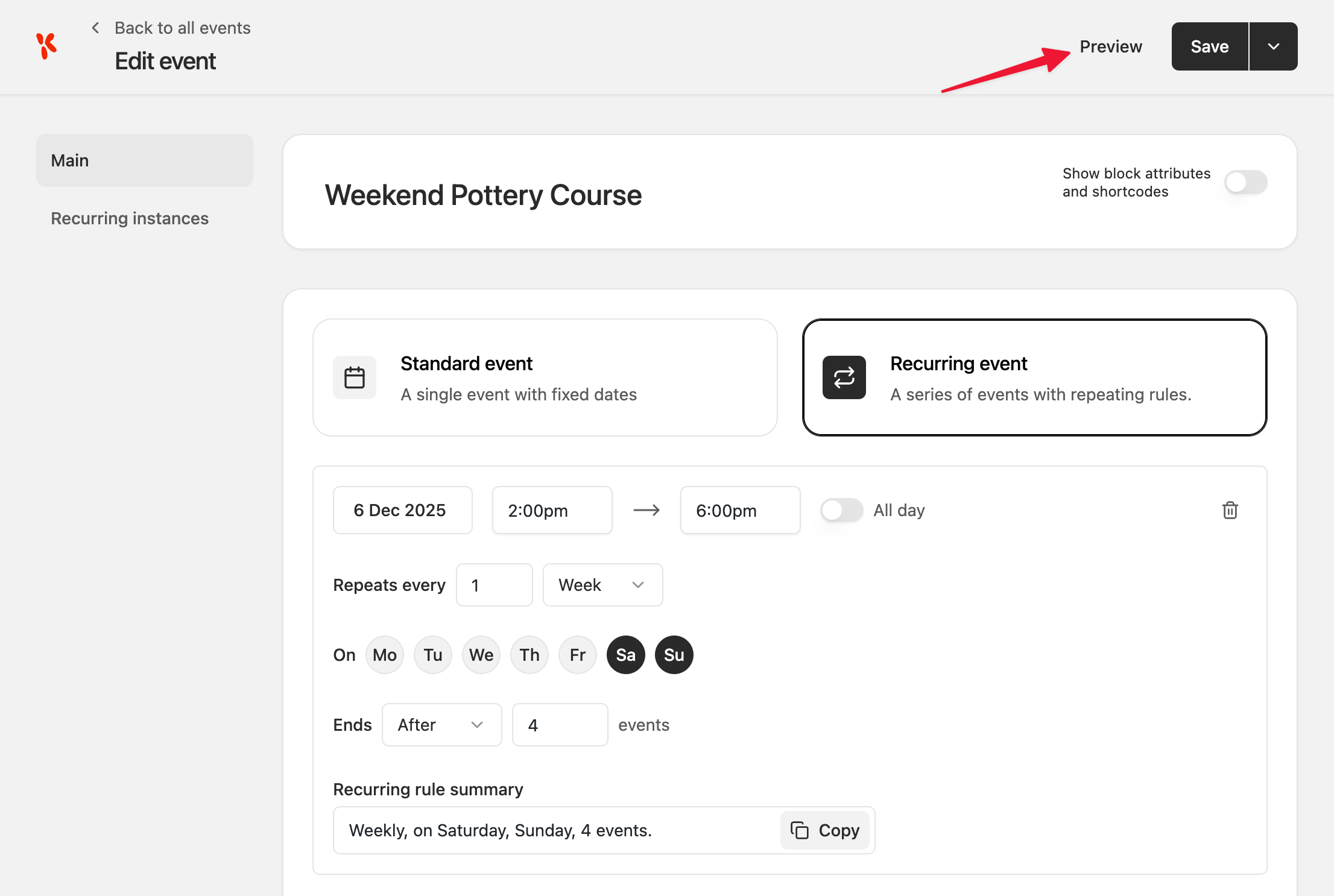
Alternatively, if you are inside the Event Settings, you can click Preview, which will also take you to the Event Series page.
Customising the Event Series template
The Event Series page can be customised using the Event Series template.
Where to find the Event Series template
You can find the Event Series template by:
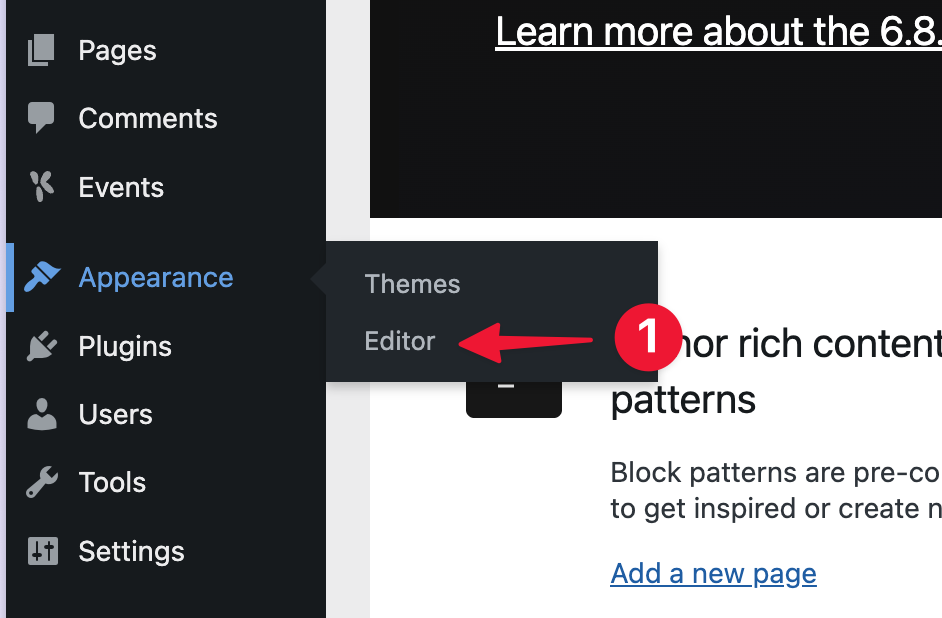
- Hovering over Appearance, then select Editor
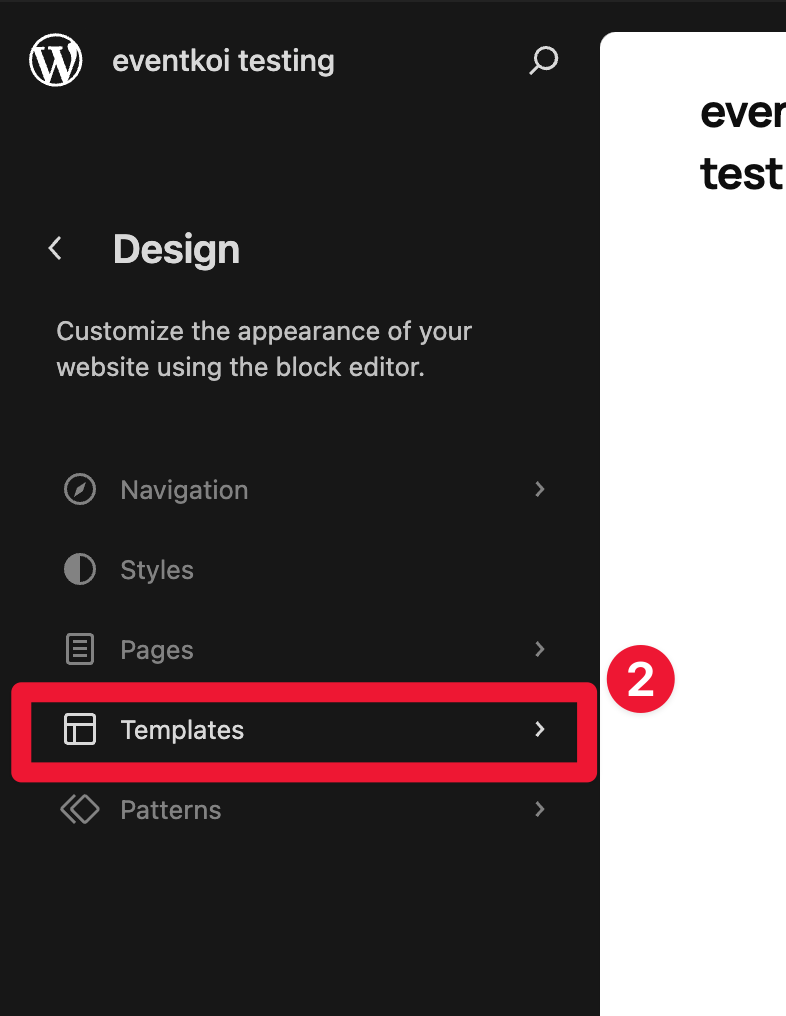
- In the Site Editor, select Templates
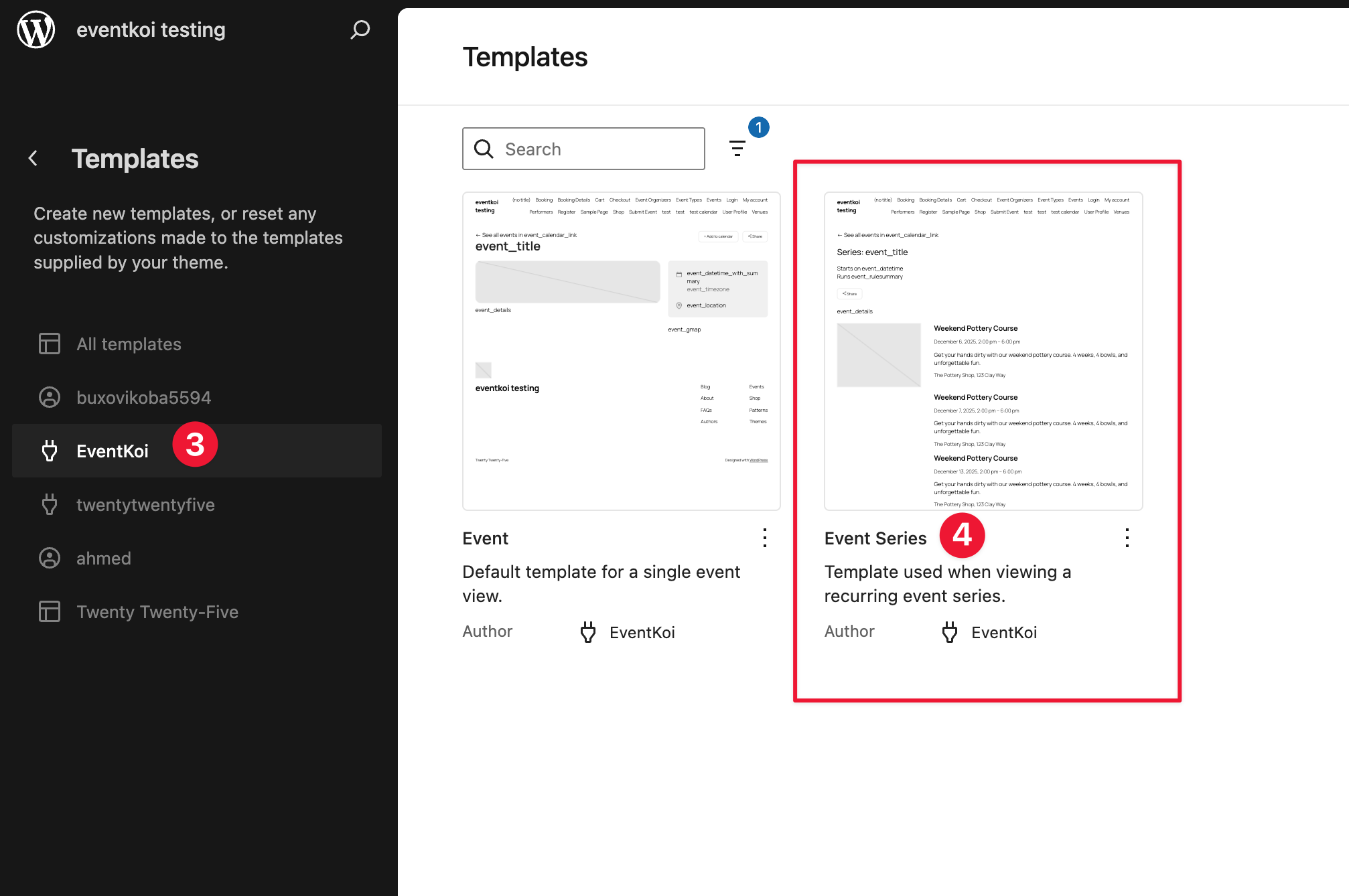
- Select EventKoi templates
- Then select the Event Series template
Editing the Event Series template
You will need to know how to use meta keys and our event templates in order to edit the Event Series template. To learn this and more, please read:
We will assume you know how to access, edit, save, and use block templates, and limit the scope of this doc to the Event Series template specifically.
The Event Series template contains the following content:
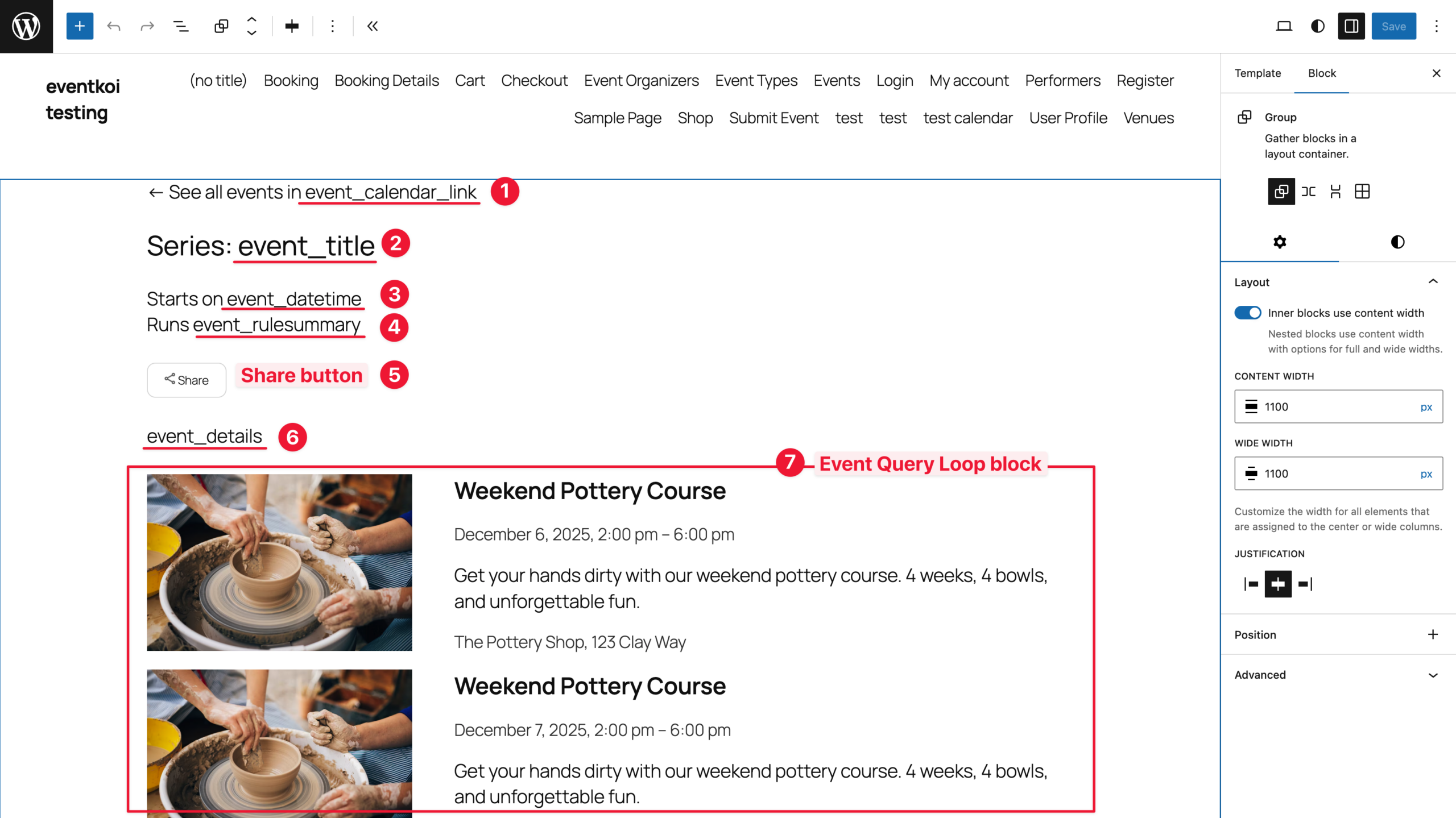
- event_calendar_link meta key
- event_title meta key
- event_datetime meta key
- event_rulesummary meta key
- Share button
- Event Query Loop block
Read the meta keys and Customising template docs linked above to learn how to make full use of the existing meta keys to add the event data you want into your Event series template.
Updating the Event Query Loop block inside the Event Series template
The Event Query Loop block is a key part of the Event Series template.
This block allows site visitors to see a list of individual event instances along with the time and date they occur.
To learn more about the Event Query Loop block, read:
In order to ensure the Event Query Loop block works correctly inside the Event Series template, there are some query settings that you can change, and some that you cannot.
Outlined in Green are the settings that you can change:
- Events per page
- Order by
- Order direction
- Start date
- End date
Outlined in Red are the settings that you cannot change:
- Select calendar (leave this blank)
- Include recurring instances (leave this toggled ON)
- Limit to a specific event (leave this toggled ON)
- Select event (leave this blank)

Summary and conclusion
When you are done editing your Event Series template, save it. All future recurring events will now have an event series page created using the template you just customised.